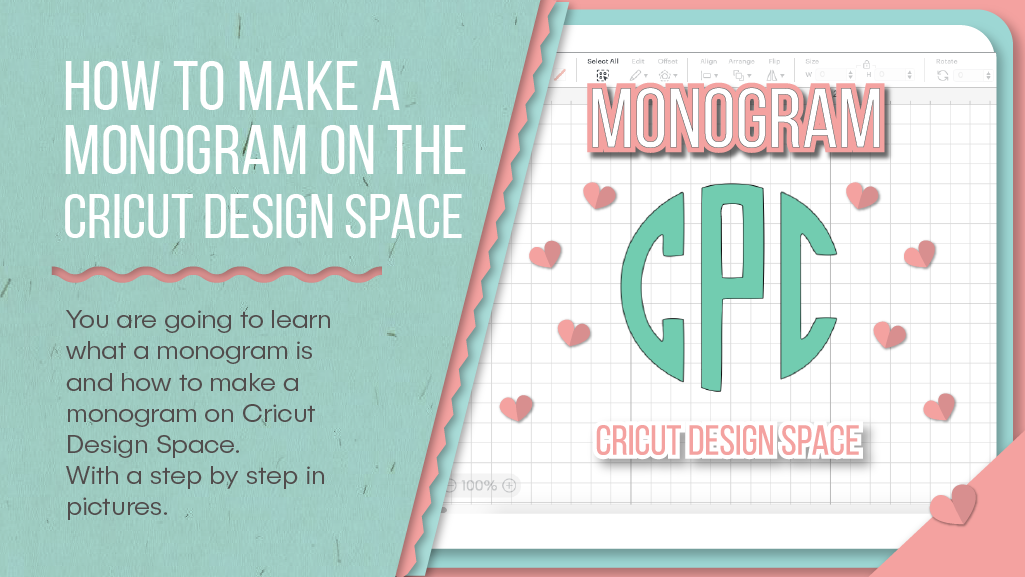
What is a monogram?
A monogram is a logo made out of just two or three letters, usually the initials of your shop’s name. There are many different ways you can design a monogram, with a variety of fonts and accompanying drawings or scribbles.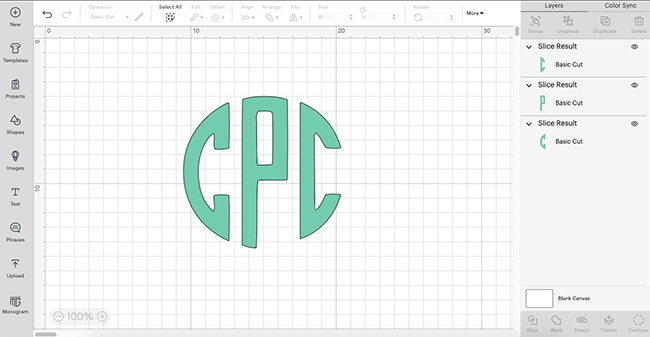
How to make a monogram on Cricut design space?
The easiest way to make a monogram is using the Cricut Design Space app on your computer. In the latest version of this software, you can simply find this type of logo in the default templates. If you have a free account, you will be able to see and design your own logo, but you won’t be able to print and cut it. If you want to make the whole process, you will need to pay for the Cricut Access membership, or at least activate the one-month free trial.What are the monogram fonts for Cricut Design Space you can find?
There are several different designs you can find in this tab. For example, you can use the “vintage” or the “modern” style, in the Classic tab. You can also see a Theme tab containing designs that not only include nice fonts but also drawings like black and white or colored flowers. How to make a monogram on Cricut Design Space? It’s really easy. Once you have found your ideal design, write the text you want to include and play with the different options this software offers. Remember the very concept of “monogram”: a pair or trio of letters that represent the initials of your business name.What is the easiest way to make a monogram?
Making a Cricut monogram is the easiest way to get one, but if you don’t find any design you like in the software, you can always make your own. You can choose to make it from scratch in Design Space, or you can choose other apps with different options and fonts. Some of the programs you can use are Adobe illustrator, Canva, or any other design app you like. You can even use the Phonto mobile app, which is very easy to use and contains hundreds of fonts you can choose from and toggle to make your logo just the way you like it.Step-by-step to make a monogram on Cricut Design space
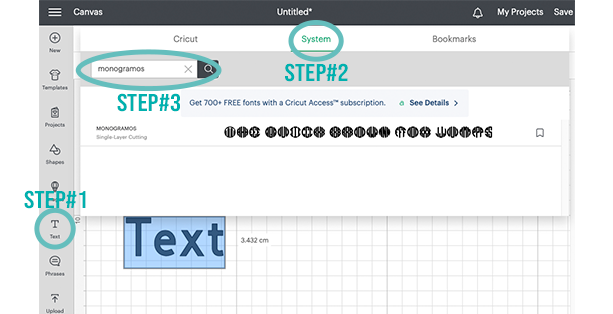
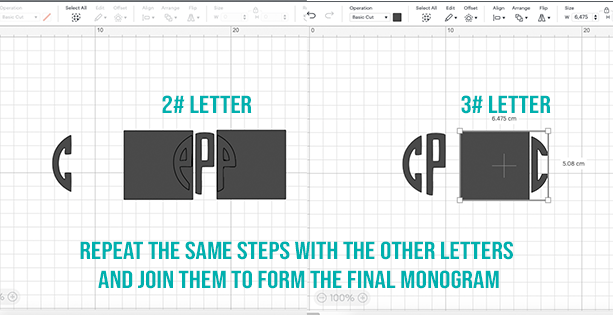
First of all, we need to download the desired font and install it in the system, you can see How to download fonts to Cricut and where to get them by clicking here. The font that I am using in this tutorial is "Monogramos" you can download it by clicking here.Step#1
Step#2
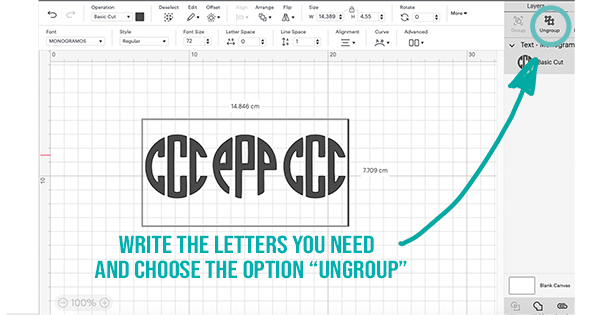
Step#3
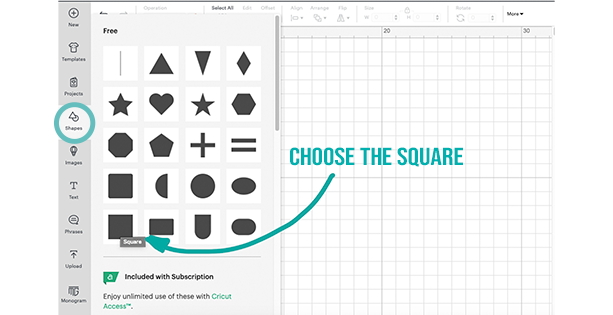
Step#4
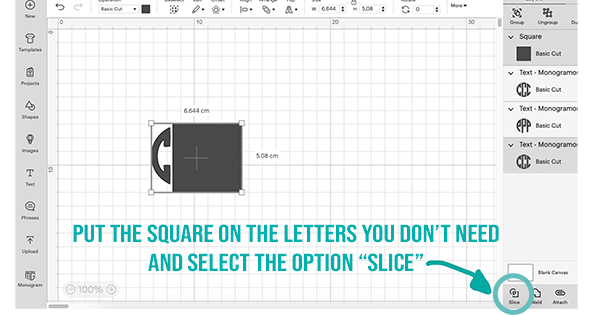
Step#5
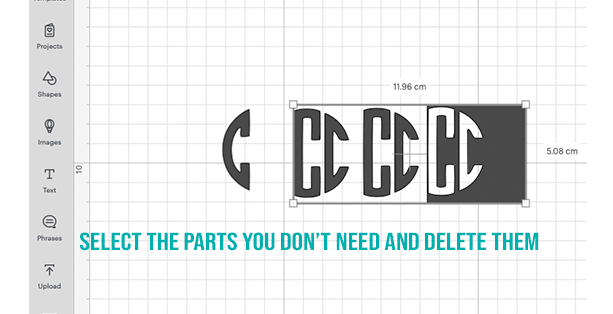
Step#6
Only remember to keep some things in mind when choosing the design:
- Use a font that is wide enough for cutting,
- Use good quality vinyl or sticker paper,
- Find good resolution images.